Power and light
Dusk-to-dawn photocells vs sign timers: which to use
A photocell turns your sign on at dusk, a timer turns it off on schedule, and many signs use both. How each works, where it goes and what codes ask.
Updated

A dusk-to-dawn photocell switches a sign on when it gets dark and off when it gets light, with nothing to set. A timer switches it at the hours you choose. For most storefronts the best answer is both: the photocell turns the sign on at dusk and the timer turns it off at closing time. An astronomical time switch does the same job without a sensor.
The options at a glance
| Control | Turns the sign on | Turns it off | Best for | Watch out for |
|---|---|---|---|---|
| Photocell | At dusk | At dawn | Signs meant to glow all night | Bad placement makes it cycle; stays on all night even when you are closed |
| Timer | At a set time | At a set time | Indoor signs, fixed business hours | Mechanical timers fall behind and need resetting for daylight saving time |
| Photocell plus timer | At dusk | At the time you set | Most storefronts | Two devices to mount and wire |
| Astronomical time switch | At sunset, calculated | At a set time or at sunrise | Spots where a sensor would see stray light | Location and date must be set up |
| Smart Wi-Fi switch | By schedule or from an app | By schedule or from an app | Owners who want phone control | Check its rating for LED loads |
Dusk-to-dawn photocells
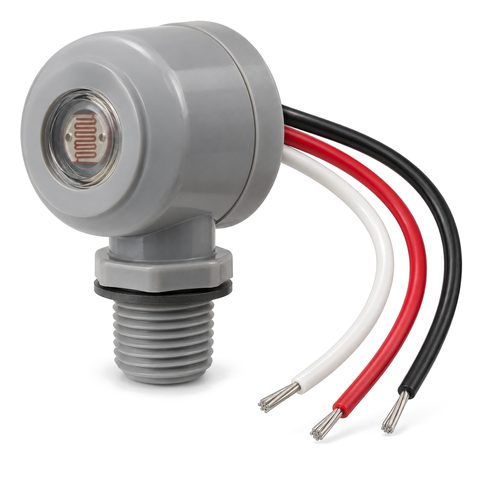
A photocell is a small light sensor. When daylight falls below its set point, it switches the sign on; at dawn it switches it off. Many have a built-in delay, at least 30 seconds on some models, so headlights, lightning or a passing cloud do not flip the sign.
Where you put it decides whether it works:
- Face it north if you can, so it reads daylight rather than direct sun. On a south wall, aim it east or west, or point it down toward the ground.
- Keep it away from other light. It must not see the sign it controls, a streetlight, a window or another sign. If it sees its own sign, the sign comes on, the sensor sees light, the sign goes off, and the cycle repeats all night.
- Keep it out of corners and from under deep eaves, where the light it reads is not the open sky.
- Test it by covering the sensor with black tape, and give it a few minutes to switch.
Our dusk-to-dawn photocell is a wired control; your electrician connects it into the sign circuit.
Sign timers
Timers come in three kinds:
- Mechanical. A motor turns a dial with on and off pins. The motor stops when the power goes out, so the timer falls behind after every outage, and it needs resetting by hand for daylight saving time.
- Digital. Programmable by day of the week. Many keep time through short outages on a backup battery and change for daylight saving time on their own; check before you buy.
- Astronomical. A digital time switch that calculates sunrise and sunset for your location and the date, so it follows the seasons without a sensor. It is a good choice where a photocell would see too much stray light, such as under a canopy or beside a bright neighbor.
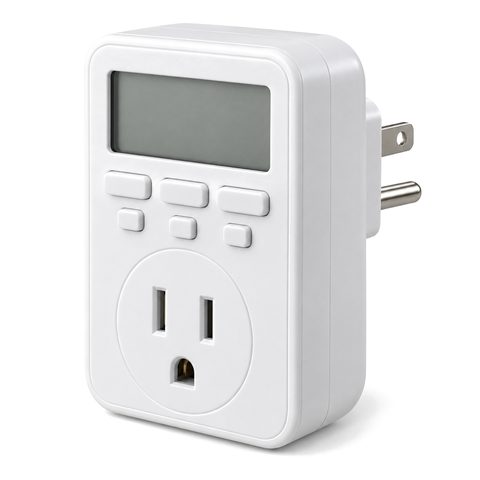
For an indoor plug-in sign, a plug-in timer between the outlet and the adapter is all you need. See our sign timer.
Using a photocell and a timer together
Wired one after the other, the two must agree before the sign lights: it has to be dark, and the timer has to be in its on period. Set the timer to allow, say, 4 pm to 11 pm. In winter the photocell turns the sign on early in the evening; in summer it waits until much later. Either way, the timer turns it off at 11.
This combination is also what some energy codes ask for.
What codes and landlords may ask for
- Energy codes. California’s Title 24 requires outdoor sign lighting to be controlled by a photocontrol plus an automatic time switch, or by an astronomical time switch, and indoor sign lighting by a time switch. The model energy code many other states use has similar rules for exterior lighting; ask your building department whether they apply to signs.
- Sign and lighting codes. Some towns require lit signs, especially near homes, to switch off after business hours. A model lighting code from DarkSky International, for example, lets larger on-premise signs stay lit only while the business is open.
- Leases. Read your lease or the center’s sign criteria for any required sign hours.
Smart Wi-Fi switches
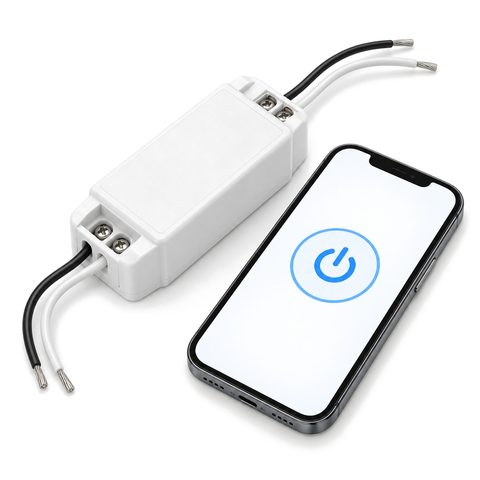
A smart Wi-Fi sign switch lets you switch the sign from your phone and set schedules, and many smart switches can follow sunrise and sunset times without a sensor. On any smart switch, check two things. First, that schedules are stored on the device, so the sign still runs if the internet drops. Second, that its rating for LED loads covers your power supplies. LED power supplies draw a brief surge when they switch on, so switch makers often rate LED loads well below the general rating.
Common problems and fixes
| What you see | Likely cause | Fix |
|---|---|---|
| Sign switches on and off all night | Photocell sees the sign’s own light or another light | Move or shield the sensor so it sees only the sky |
| Sign never comes on | Photocell sees a streetlight, window or bright neighbor | Move it, or use an astronomical timer instead |
| Sign comes on an hour early or late | Mechanical timer after a power cut or a daylight saving change | Reset it, or switch to a digital or astronomical timer |
| Sign stays on until morning | Photocell alone, no timer | Add a timer to set the off time |
Where the control goes
- Outdoor hard-wired signs: the electrician wires the photocell or timer into the sign circuit, ahead of the power supplies. The photocell mounts outside where it can see open sky; the timer often sits indoors near the panel or the disconnect.
- Indoor plug-in signs: a plug-in timer or smart plug at the outlet.
Tell your electrician which control you want before install day; sign electrical requirements has a list of questions to ask. To set the brightness as well as the hours, see dimming LED signs and how bright should a lit sign be. Browse all sign controls.