Power and light
Dimming LED signs: dimmers, remotes and apps
How to dim 12 V LED sign letters: low-voltage PWM dimmers, dimmable power supplies, remotes and apps, flicker, and why a wall dimmer is the wrong tool.
Updated

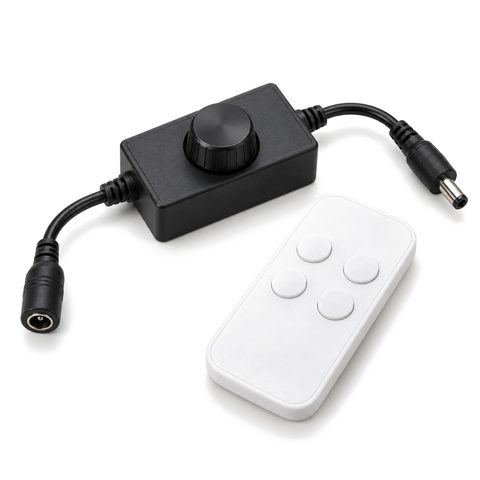
Our 12 V LED letters dim with a low-voltage PWM dimmer installed between the power supply and the letters. It switches the 12 V supply on and off many times a second and changes how long each pulse lasts; shorter pulses look dimmer. You can control it with a knob, a remote or a phone app. What you should not do is put an ordinary wall dimmer in front of a power supply that is not made for one.
Why dim a sign
- Indoors. A reception logo or salon sign at outdoor brightness glares in a room. Dimming makes it comfortable to look at.
- Near homes. Turning a sign down late at night is a courtesy to neighbors, and some codes require it.
- Code. California’s Title 24 requires outdoor signs lit both day and night to be able to cut their lighting power by at least 65 percent at night.
- Mood. Bars, restaurants and venues can bring the sign down as the room lights go down.
- Battery letters. Lower brightness draws less power, so the battery lasts longer. See battery-powered light-up letters.
How LED dimming works on 12 V letters
LED sign modules are built to run at their rated voltage. Instead of lowering the voltage, a PWM (pulse width modulation) dimmer switches the full 12 V on and off rapidly. At 100 percent the LEDs are on all the time; at 30 percent they are on 30 percent of the time. The switching is far too fast for the eye to follow, so it reads as lower brightness.
| Method | Where it sits | Works with | Notes |
|---|---|---|---|
| Low-voltage PWM dimmer | Between the power supply and the letters, on the 12 V side | 12 V constant-voltage supplies | Rated in amps; must cover the load |
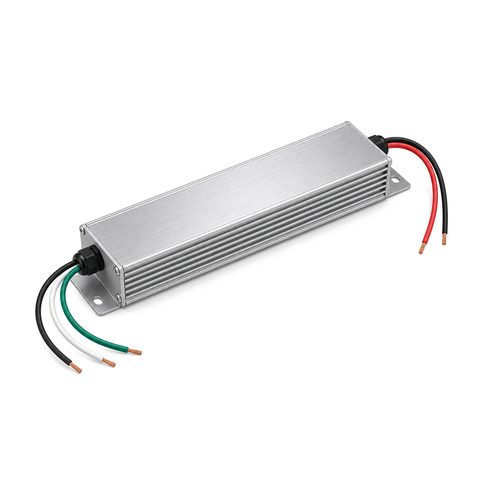
| Dimmable supply with a wall dimmer | AC side, in place of a light switch | Only supplies labeled for that dimmer type (TRIAC or ELV) | Check the maker’s list of compatible dimmers |
| 0–10 V dimmable supply | Control wires run to a 0–10 V dimmer | Supplies with a 0–10 V input | Common with building lighting controls |
| Wall dimmer on a non-dimmable supply | Do not use | — | Flickers and buzzes |
Our LED sign dimmer is the first kind: it works on the 12 V side, after the power supply.
Sizing the dimmer
A PWM dimmer is rated in amps. To check that one is big enough:
- Take the LED watts on that power supply’s output.
- Divide by 12 to get amps. For example, 48 W ÷ 12 V = 4 A.
- Choose a dimmer rated above that, with headroom. For 4 A, a dimmer rated 5 A or more.
On a sign with several power supplies, each supply’s output needs its own dimmer or dimmer channel. Never tie the outputs of two supplies together to share one dimmer. Ask how we set up dimming on a multi-supply sign when you request your drawing. Channel letter power supplies explains why bigger signs use several supplies.
Remotes and apps
| Control | How it reaches the dimmer | Good for |
|---|---|---|
| Knob or buttons on the dimmer | Direct | Set once and leave it |
| Infrared (IR) remote | Needs a clear line of sight, usually within about 30 ft | Indoor signs with the receiver in view |
| Radio (RF) remote | Passes through walls and cabinets, with longer range | Signs with the dimmer hidden behind the wall or in a raceway |
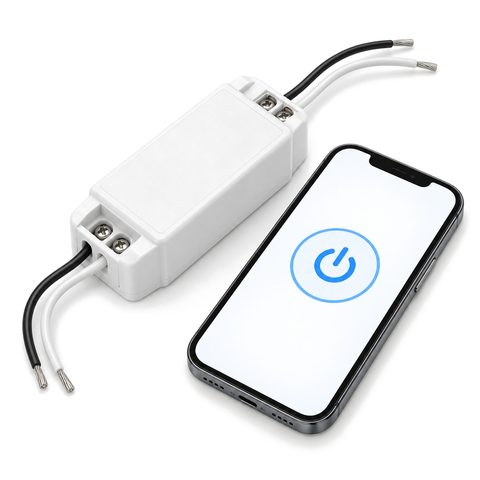
| Wi-Fi app | From a phone, by tap or by schedule | Owners who want schedules or remote control |
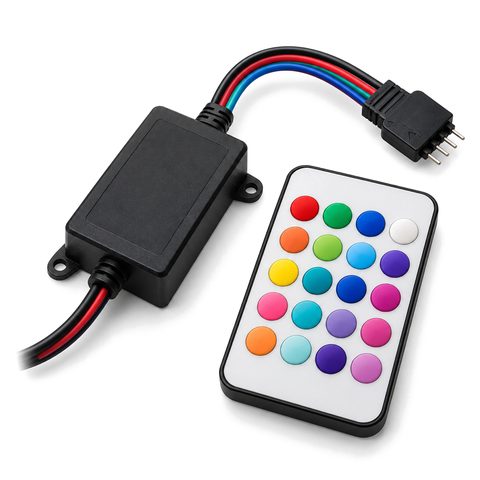
If the dimmer will be hidden, an IR remote will not reach it, so choose radio or app control and plan where the receiver sits so the signal can get to it. A smart Wi-Fi sign switch adds on/off and schedules from your phone. For color-changing letters, an RGB LED controller sets brightness as well as color; see RGB color-changing signs.
Flicker and cameras
Because PWM switches the LEDs on and off, a dimmer that switches too slowly can show up as flicker, especially on phone cameras and video. IEEE guidance on LED flicker treats switching above roughly 1,250 to 3,000 times a second (1,250–3,000 Hz) as low risk. If your sign will be filmed or photographed often, as in a gym, salon or venue, choose a dimmer that switches at a high frequency, then check it yourself: film the sign in slow motion on a phone. If dark bands or pulsing show up, the frequency is too low.
Dimming with other controls
A dimmer sets the level; a photocell or timer decides when the sign is on. They work together: the photocell or timer switches the power supply on and off, and the dimmer holds the level you set. For a sign that should run at full output at dusk and lower late at night, use a dimmer or app that supports schedules.
Common dimming mistakes
- A wall dimmer ahead of a non-dimmable supply. The supply was built to see steady power; a wall dimmer chops it, and the sign flickers and buzzes.
- A dimmer too small for the load. If the LED amps are close to or over the dimmer’s rating, it runs hot and may fail. Size it with headroom.
- An IR remote with a hidden receiver. Infrared needs line of sight; behind a wall or inside a raceway it will not work.
- Dimming only part of a sign. On a sign with several power supplies, a dimmer on one output turns down only those letters, and the sign looks uneven. Dim every output, and set them to the same level.
- Setting the level at dusk only. A level that looks right at dusk can look harsh in full dark. Check it again later at night.
How bright is right?
Set the level from where people actually see the sign, at dusk and again when it is fully dark. How bright should a lit sign be covers nits, city limits and how to check the level after install. Browse all sign controls.
 12V LED Sign Power Supply
 Front-Lit Channel Letters